Next.js

-
Next.jsis a web framework that gives you building blocks to create web applications. -
It handles the tooling and configuration needed for React.
-
It provides additional structure, features, and optimizations for your app.
-
User Interface: How users will consume and interact with your application
-
Routing: How users navigate between different parts of your application
-
Data Fetching: Where your data lives and how to get it
-
Rendering: When and where you render static or dynamic content
-
Integrations: What third-party services that you use (CMS, auth, payments, etc) and how you connect to them
-
Infrastructure: Where you deploy, store, and run your application code (Serverless, CDN, Edge, etc)
-
Performance: How to optimize your application for end-users
-
Scalability: How your application adapts as your team, data, and traffic grow
-
Developer Experience: Your team’s experience building and maintaining your application
Hello world
npx create-next-app my-app
cd my-app
npm run dev
Document object model (DOM)
DOMis an object representation of the HTML elements.- It acts as a bridge between your code and the UI.
- It has a tree-like structure with parent and child relationships.
- With the DOM, we can use
JSto interact with the objects and make changes to them.
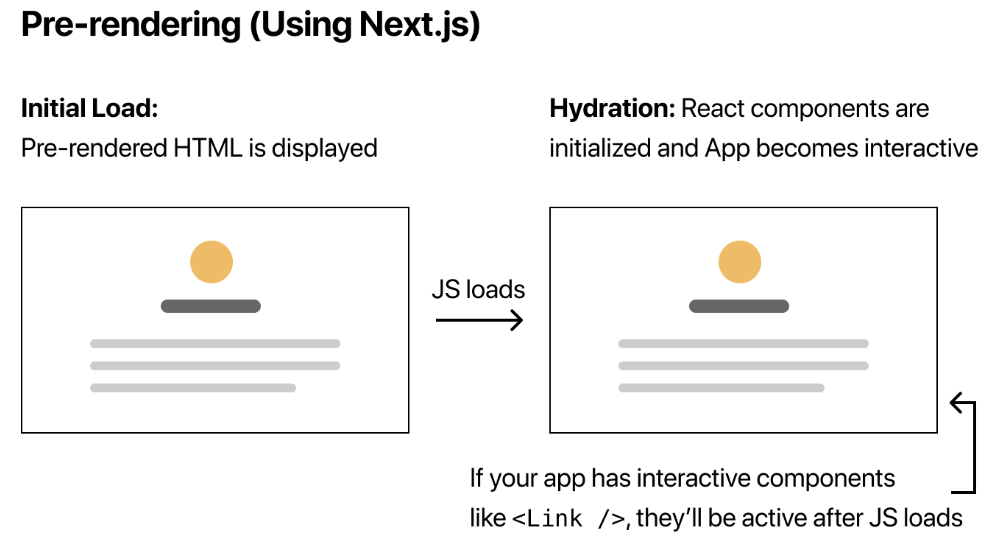
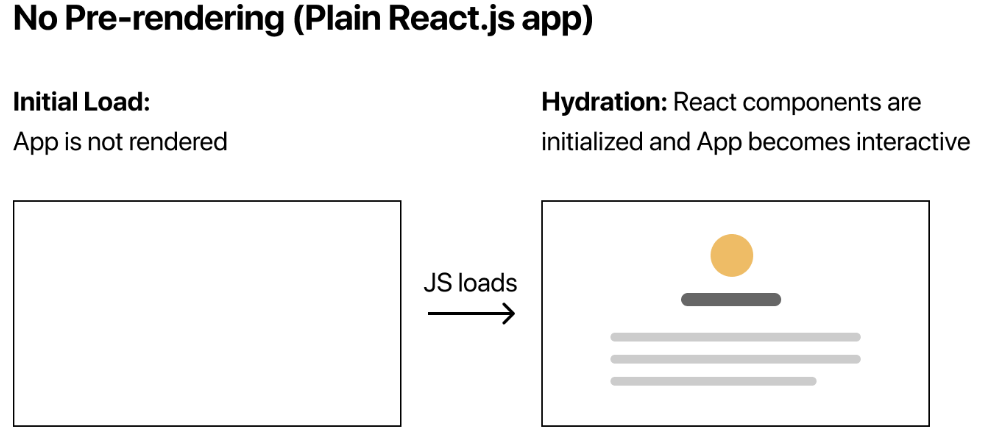
Pre-rendering
-
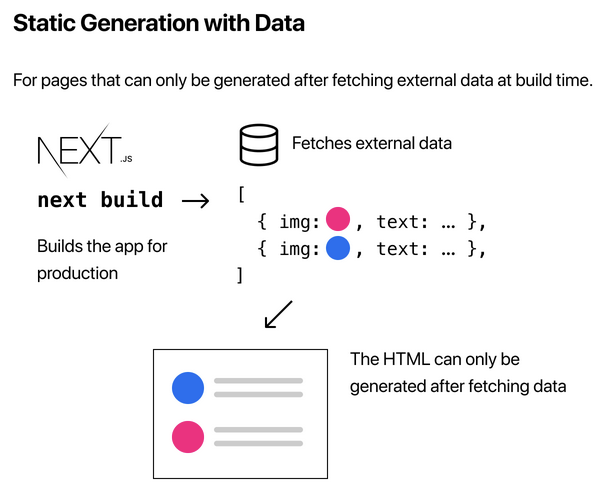
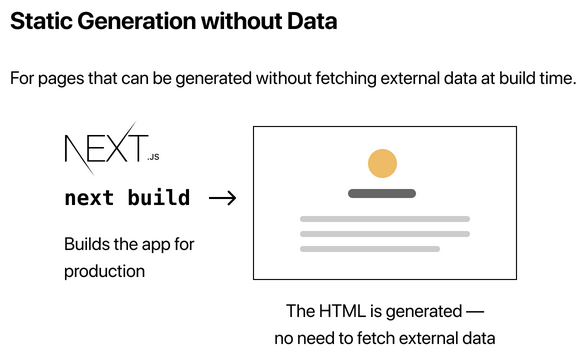
Next.jshas two forms of pre-rendering. -
You can create a hybrid app by using static generation for most pages and using server-side rendering for others.
1. Static generation
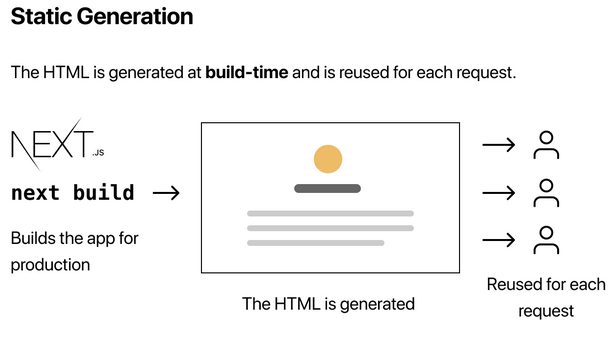
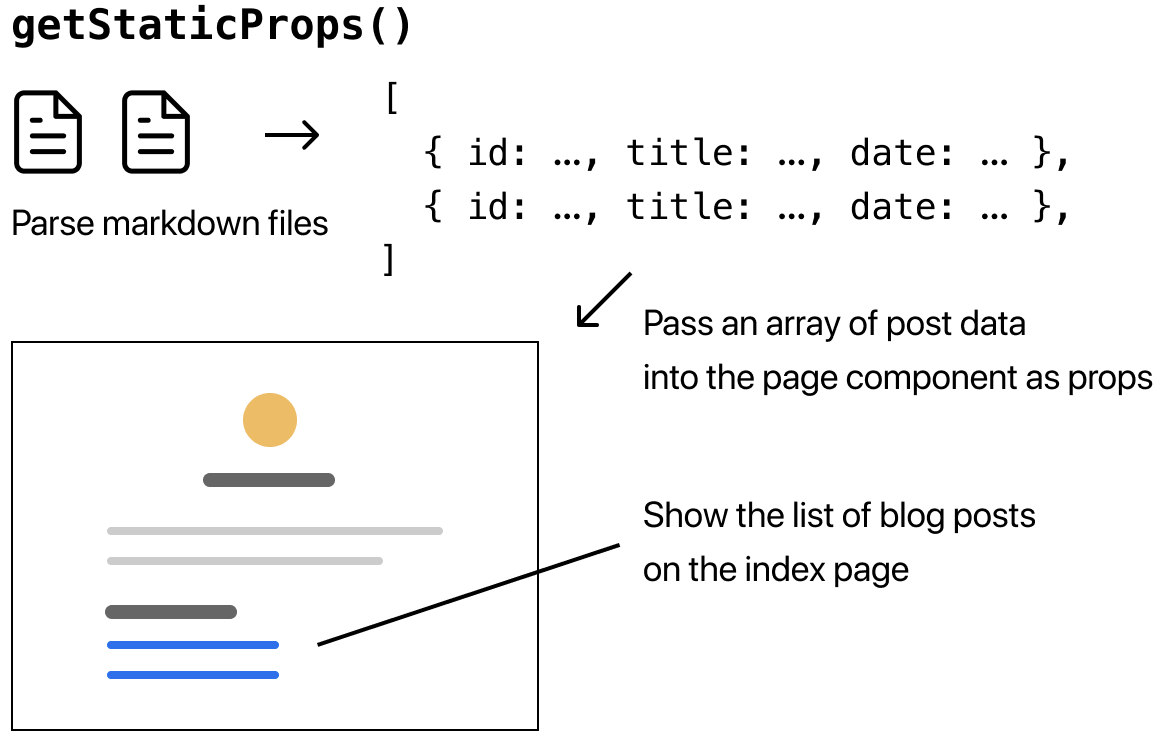
- The HTML is generated at build time and will be reused on each request.
- It is recommended whenever possible because your page can be built once and served by CDN, which makes it much faster than having a server render the page on every request.
- Marketing pages, blog posts, e-commerce product listings, documentation pages, etc. can use it.
2. Server-side rendering (SSR )
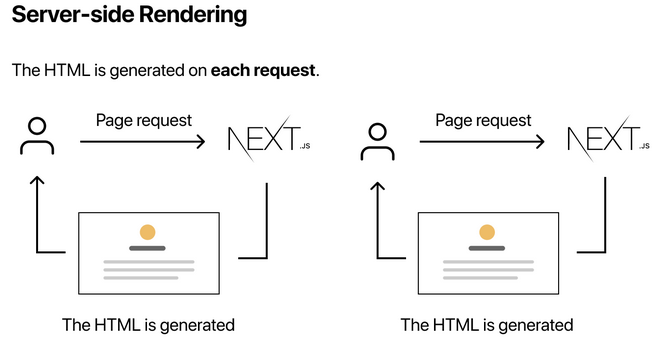
- If a page uses SSR, the HTML page is generated on each request.
- It will be slower than static generation, but the pre-rendered page will always be up-to-date.
Pages
-
A page is UI that is unique to a route.
-
Any file created inside of the
pagesdirectory would act as a route in the UI. -
The following routes to
www.website.com/homepages |__ home.jsx -
A page is always the leaf of the route subtree.
-
.js,.jsxor.tsfiles can be used for pages. -
A
page.jsfile is required to make a route segment publicly accessible. -
Pages are Server Components by default but can be set to a Client Component.
-
Pages can fetch data. View the Data Fetching section for more information.
Layouts
- A layout is UI that is shared between multiple pages.
- Any route segment can optionally define its Layout. These layouts will be shared across all pages in that segment.
.js,.jsxor.tsfiles can be used for layouts.- A
layout.jsandpage.jsfile can be defined in the same folder. The layout will wrap up the page. - A layout can render another layout or a page inside of it.
Root Layout
- The
appdirectory must include a root layout. - The topmost layout is called the Root Layout. This required layout is shared across all pages in an application. Root layouts must contain
htmlandbodytags.
Dynamic routes
- A dynamic segment (
[folderName]) can be accessed fromuseRouter.
import { useRouter } from 'next/router';

export default function Page() {
  const router = useRouter();
  return <p>Post: {router.query.slug}</p>;
}
Routing
The app router
- By default, the
approuter uses server components. It renders components on the server and reduces theJSsent to the client.
_app.js
- It is called du ring each page initialization. (
pages/_app.js)
Use cases
1. Reusing a common layout between pages
- It involves using the same header and footer.